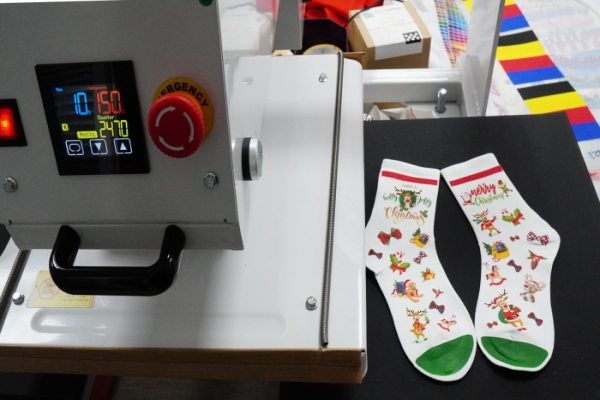
One of the most significant advantages of DTF (Direct-to-Film) printing is its ability to handle complex, multi-colored graphics that traditional screen printing struggles with. However, when it comes to ultra-fine lines, delicate flourishes, and small typography, many printers face the dreaded "detail drop"—where fine elements either fail to transfer or peel off after the first wash.
Mastering intricate designs requires a combination of smart artwork preparation, high-quality consumables, and precise heat press techniques. In this guide, we'll explore the professional secrets to achieving crisp, durable fine lines in your DTF transfers.
1. Artwork Preparation: The "2-Point Rule"
The foundation of a successful intricate print starts in your design software (Adobe Illustrator or Photoshop). While DTF can handle impressive detail, there are physical limits to how much adhesive powder can stick to a thin line of ink.
Minimum Line Weight
As a general rule of thumb, ensure that your thinnest lines are at least 0.018 inches (approx. 0.5mm or 1.5 to 2 points) thick. Anything thinner than this may not have enough surface area for the TPU adhesive powder to bond effectively, leading to peeling issues.
Using Strokes and Offsets
If your design contains hair-thin lines, consider adding a small stroke or offset path to slightly thicken them. Even a 0.25pt increase can be the difference between a failed transfer and a perfect one. For small text, avoid serif fonts with extremely thin "tails" and opt for bold or semi-bold versions of your favorite typefaces.
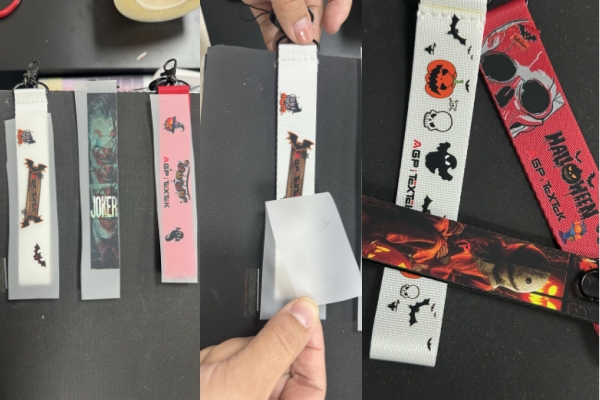
2. Choosing the Right Consumables for Detail
Not all DTF supplies are created equal. If you specialize in high-detail work, your choice of powder and film is critical.
Fine vs. Medium Adhesive Powder
Standard DTF powder is often "medium" grain, which is great for large blocks of color. However, for intricate designs, Fine Grain TPU Powder is superior. Fine powder particles can adhere to smaller droplets of ink, ensuring that even the tiniest dots in your design are backed by adhesive.
High-Quality PET Film
Use a DTF PET film with a premium coating that holds the ink without "bleeding." If the DTF ink spreads even slightly on the film, your fine lines will lose their sharpness and appear blurry. Look for "Instant Peel" or "Cold Peel" films that are specifically marketed for high-resolution output.
3. RIP Software Settings for Sharpness
Your RIP (Raster Image Processor) software plays a vital role in how fine details are rendered.
•Resolution: For intricate work, always print at a minimum of 1440x1440 DPI. Higher resolutions ensure that the print head deposits smaller, more precise droplets.
•White Ink Underbase: Ensure your white ink underbase is slightly "choked" (shrunk) by 1 or 2 pixels. This prevents the white ink from peeking out from behind your colored fine lines, which can make the design look messy.
•Ink Density: Avoid over-saturating fine lines with too much ink. Excessive ink can cause "pooling," which destroys the definition of small text and thin strokes.
4. The Pressing Technique: Pressure and Cooling
The final hurdle for fine lines is the heat press. Because small details have less surface area to grip the fabric, they are the most vulnerable during the peeling process.
High Pressure is Key
Unlike large transfers that can sometimes tolerate medium pressure, intricate designs require Firm to High Pressure. This ensures the melted adhesive is driven deep into the fibers of the garment, creating a mechanical bond that resists peeling.
The "Cold Peel" Advantage
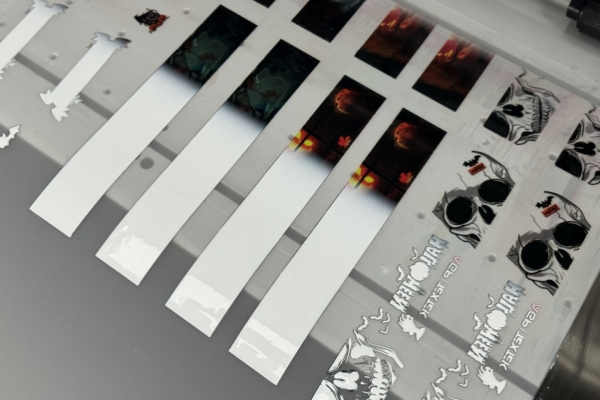
For ultra-fine details, a Cold Peel is almost always safer. Peeling the film while it is still hot can put too much stress on small elements, causing them to lift. By letting the transfer cool completely, the adhesive solidifies and "locks" onto the fabric, allowing for a much cleaner release of the film.
The Second Press (Finishing Press)
Always perform a second press for 5-10 seconds after removing the film. Use a Teflon sheet or parchment paper. This "finishing press" flattens the edges of the fine lines and further embeds the adhesive into the fabric, significantly increasing wash durability.
Conclusion: Precision Leads to Premium Results
Mastering fine lines in DTF printing is what separates high-end custom apparel shops from the competition. By focusing on minimum line weights, using fine-grain adhesive powder, and perfecting your heat press pressure, you can produce intricate designs that are not only visually stunning but also incredibly durable.
Don't be afraid to push the limits of your equipment—just ensure you have the technical foundation to back it up.
Pro Tip: When testing a new intricate design, always include a "test strip" with varying line thicknesses (from 0.1mm to 1.0mm). This helps you identify the exact physical limit of your specific printer and powder combination.
FAQ: Frequently Asked Questions
1. What is the thinnest line I can print with DTF?
While it varies by printer and powder, a safe minimum is 0.018 inches (0.5mm). Lines thinner than this may not adhere properly to the garment.
2. Why is my small text peeling off after washing?
This is usually caused by insufficient adhesive powder on the fine lines or low pressure during the heat press process. Switching to a fine-grain powder and increasing press pressure often solves this.
3. Should I use a "choke" on my white ink for fine lines?
Yes. A 1-2 pixel choke prevents the white underbase from showing at the edges of thin lines, ensuring a professional, clean finish.