
Our quality products and best service will make your business much better.
Professional . Specialized . Experienced
(English)

19
Aug
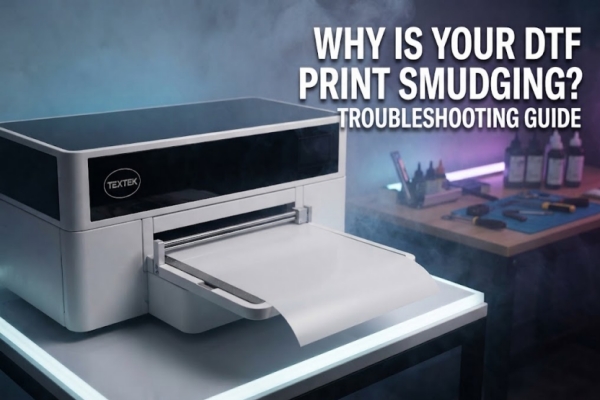
Dealing with ink smudges, color bleeding, or ruined PET films midway through a large production run is one of the most frustrating experiences for a custom apparel business owner. When you are rushing to fulfill client orders, equipment quirks can quickly turn into costly delays and wasted materials.
If you are tired of troubleshooting daily print errors or if your current desktop setup can no longer handle your shop's volume, this guide covers the root causes of common printing flaws and how to upgrade your workflow for industrial reliability.
When prints come out blurry, streaked, or smudged, the issue usually stems from one of a few common operational or environmental factors:
Excessive Ink Volume or Slow Drying: If your RIP software settings set an excessive ink limit for the specific PET film type, the ink cannot absorb properly before reaching the powder application stage.
The Fix: Calibrate your ink density limits in your RIP software and ensure your room temperature and humidity are tightly controlled (ideally 40% to 60% relative humidity).
Printhead Height Adjustments: If the print carriage rides too low, it can lightly drag across the textured surface of the film, smearing fresh ink droplets.
The Fix: Check your platen height adjustment to maintain a safe, consistent clearance between the printhead nozzles and the film.
Static Interference: Dry environments create static charge on PET films, causing ink droplets to deflect mid-air and land off-target.
The Fix: Use high-quality anti-static PET film rolls and properly ground your printer.
Entry-level modified printers help learn the basics, but they introduce chronic bottlenecks as your business grows:
Constant Nozzle Clogs: Without automated white ink circulation systems, heavy titanium dioxide pigments settle and clog printhead dampers rapidly.
Slow Speed on Bulk Orders: Single-head desktop units cannot keep up with tight deadlines when processing large runs of custom hoodies or corporate apparel.
When these issues start eating into your profit margins, transitioning to a heavy-duty commercial system—such as a multi-head industrial DTF printer utilizing high-precision Epson i3200 printheads—is essential for stable, high-volume output.
Scaling up also means expanding what you can offer to clients. Choosing the right technology depends entirely on your target substrates:
DTF Printing for Textiles: Best for cotton, polyester, blends, canvas, and nylon. It provides a soft, breathable hand-feel and high stretchability for t-shirts, sportswear, and fashion merchandise without weeding.
UV DTF Printing for Hard Goods: Also known as crystal sticker printing, it uses UV-curable inks to produce 3D embossed decals that transfer effortlessly onto curved or rigid items like glass bottles, metal drinkware, ceramic mugs, and leather goods.
If you are ready to eliminate daily maintenance headaches, cut production times, and scale your manufacturing capacity, TEXTEK delivers industrial-grade DTF printers, UV DTF printers, and automated powder-shaking production lines built for professional print shops worldwide.
Explore Our Catalog: View complete machinery specifications and workflow videos on the official TEXTEK Website.
Connect With Our Team: Contact our technical sales experts directly at info@textek.com to request a custom equipment recommendation, pricing details, or sample print kits tailored to your workshop.


